
Can a desktop pet be a virtual body double for ADHD?
Paw-Paw is a free Mac companion that types when you type. It offers low-pressure company without a camera—but it is not the same as a human body double.
The short answer: Paw-Paw is best described as an ambient, body-double-like companion. It can make solo work feel a little less solitary, but it cannot provide the intention-setting, social accountability, or real human presence of traditional body doubling. Paw-Paw has not been clinically studied as ADHD support.
What body doubling actually means
Body doubling is a community-developed strategy: you intentionally use another person's presence while doing a task. That can mean someone working beside you, a quiet video call, a livestream, or a recorded “study with me” session. The other person does not have to help with the task. The literature also discusses animated presences, but that does not establish the effectiveness of a standalone desktop pet like Paw-Paw.
A 2024 ACM survey of 220 primarily neurodivergent respondents described body doubling as using the presence of others to start, stay focused on, or accomplish a task. Participants reported in-person, remote, live, and recorded human presence. The study did not test animated desktop pets.
That does not prove body doubling works as an ADHD treatment. CHADD notes that significant research validating its benefits is still limited. It is better understood as a practical strategy that some people find useful, not a medical intervention or a universal solution.
How digital body doubling developed
Common forms include sharing a room, working beside a friend, or joining a live virtual session. Scheduled video services can add an opening intention, a work block, and a closing check-in. Livestreams and recorded “study with me” videos offer lower-contact versions of human presence.
Virtual companions followed their own path. Tamagotchi-style pets made care and collecting part of daily digital life; Shimeji characters moved that companionship onto the desktop. Newer apps blend cozy company with work: Weyrdlets pairs a desktop pet with timers and to-dos, while Spirit City combines collectible companions, soundscapes, and focus tools.
These paths now overlap in an adjacent niche: ambient digital companionship. In a 2025 within-subject speed-reading study with 60 university students, a “study with me” video produced lower perceived pressure and higher accuracy than a physical companion, but no significant advantage over studying alone. That is a useful boundary: one virtual-presence format felt lower-pressure without producing a general productivity advantage.
For the wider research on working in company, small encouragement and visible progress, beyond ADHD, see our article on digital body doubles.
Where Paw-Paw fits
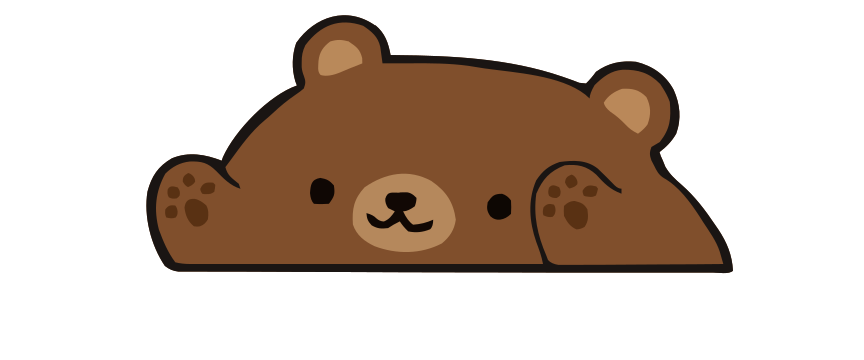
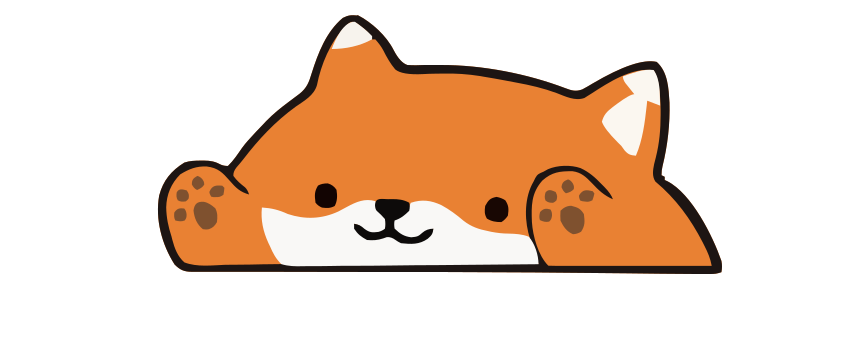
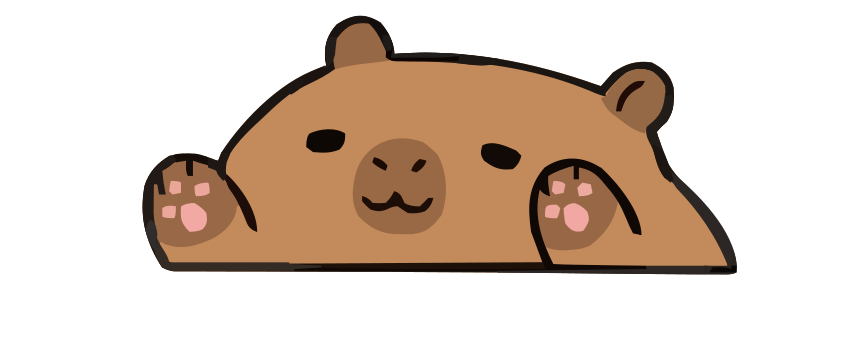
Paw-Paw sits in that adjacent niche. An illustrated animal stays on your Mac, wakes when you type or click, and curls up when you pause. Your input creates immediate visual feedback: you type, your pet types along. There is no session to book and nobody watching you.
A small character shares the screen while you study, write, code, or handle admin.
Your pet mirrors the rhythm of typing and clicks and sends no system notifications; now and then it cheers you on in a small speech bubble.
No account, partner matching, camera, or appointment. Open the app when you are ready.
Typing can earn collectible items for your pet to wear, adding a light reward loop without turning work into a dashboard.
Paw-Paw vs. virtual body doubling
| Approach | Human body double | Paw-Paw |
|---|---|---|
| Presence | Another person | Animated desktop pet |
| Accountability | Often includes a stated task and check-in | No social accountability |
| Setup | Coordinate, join, or play a session | Open the app |
| Camera | Sometimes | Never |
| Best at | Commitment, structure, feeling observed | Designed for ambient company and visual feedback |
| Evidence | Emerging research and self-reported use | No direct clinical evidence |
Who might like an ambient companion?
Paw-Paw may be worth trying if you want an ambient companion without video, dislike matching with strangers, or want something available for short and unplanned work sessions. It is designed around keyboard-heavy tasks on a Mac: essays, email, coding, journaling, and paperwork.
It may be a poor fit if movement on screen distracts you, if rewards pull you away from the task, or if what you need is a real person who expects you to show up. Understood emphasizes that body doubling does not work for everyone; the right amount and kind of presence is personal.
A simple way to try it
- Choose one visible task. “Draft the introduction” is easier to begin than “finish the essay.”
- Put Paw-Paw at the edge of your workspace. If it isn't set up yet, install it first. Keep the pet visible but out of the way of the document.
- Work for a period that suits the task. Let the pet respond while you type; do not turn collecting items into the task.
- Check the effect, not the promise. If the pet made starting feel warmer or less lonely, keep it. If it stole attention, close it.
- Add a human when you need accountability. Pair Paw-Paw with a friend, library, study stream, or virtual coworking session for more structure.
This is a small experiment, not an ADHD treatment plan. If attention or executive-function difficulties are interfering with daily life, a qualified healthcare professional can help you explore evidence-based support.
Frequently asked questions
Can a desktop pet help with ADHD?
A desktop pet may provide ambient company or a visible work cue for some people, but Paw-Paw has not been clinically studied as ADHD support. It is not medical treatment or a replacement for ADHD care.
What is body doubling for ADHD?
Body doubling uses another person's presence while doing a task, in person or remotely. Research also describes recorded study or work sessions that simulate a human presence. An animated desktop pet is better described as adjacent ambient companionship.
Is Paw-Paw a body doubling app?
No. Paw-Paw is an animated ambient companion, not a human body-doubling service. It does not provide accountability, intention-setting, or check-ins.
Is Paw-Paw distracting?
That depends on the person. Paw-Paw stays in one place, reacts to typing and clicks, and sends no system notifications. Now and then it shows a gift to open, a level-up card, an achievement pop-up or a short speech bubble; the automatic bubbles can be turned off in Settings. Any animation can be distracting, so try it at the edge of your screen and remove it if it pulls attention away from your task.
Does Paw-Paw work on MacBook?
Yes, if the MacBook runs macOS 13 or later. Paw-Paw is a universal app for Apple silicon and Intel processors.
Can I use Paw-Paw without a camera or account?
Yes. Paw-Paw runs on your Mac and needs no camera, video call, scheduling, or account; signing in is optional. It is free.
Research and further reading
- Eagle, Baltaxe-Admony & Ringland (2024): An Investigation of Body Doubling with Neurodivergent Participants
- Ren, Reynolds & Rusk (2025): Learning with virtual companionship
- CHADD: Could a Body Double Help You Increase Your Productivity?
- Cleveland Clinic: What Is Body Doubling and Can It Help With ADHD?
- Understood: How Body Doubling Works for People With ADHD

Try a gentler kind of company
Paw-Paw is free. No account needed, no ads, no camera—just a tiny animal that types along with you.
Download Free for Mac