
Looking for Desktop Mate on Mac?
Desktop Mate now supports Apple silicon Macs through Steam. Paw-Paw is a free Mac-first companion for Apple silicon and Intel — no Steam account required.
What is Desktop Mate?
Desktop Mate is a desktop mascot app from infiniteloop that launched on Steam in January 2025. It puts 3D anime characters on your screen — they sit on windows, play with the mouse cursor, respond to head pats, and jump between windows. The free base app includes infiniteloop's mascot character, while licensed characters such as Hatsune Miku are sold as DLC.
Desktop Mate’s Mac version is an Apple-silicon-only open beta. The developer’s June 24, 2026 Mac announcement specifies macOS Tahoe 26 or later. Steam still lists Monterey 12 or later as the minimum. Checked October 7, 2026, those sources disagree; we have not verified compatibility with older macOS versions. Check the current developer requirements before downloading. Intel Macs are unsupported.
A free Desktop Mate alternative for Mac: Paw-Paw
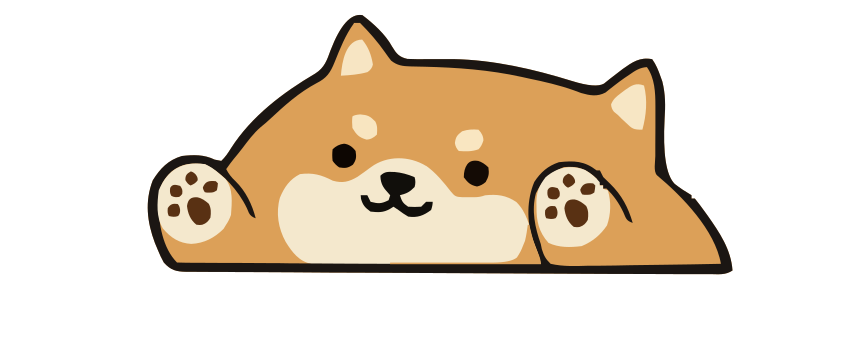
Paw-Paw is a desktop pet made for macOS. Instead of 3D anime characters, you get dozens of illustrated Paw-Paws across two seasons — bears, foxes, shibas, capybaras, raccoons, and more. Once Accessibility access is granted, the pet reacts to keyboard and mouse event types in most apps, then curls up to sleep when you take a break.
Both seasons, with dozens of Paw-Paws and more than 100 collectible wearable items, are included at no extra charge, with no ads or subscription and no account needed. Paw-Paws and items unlock through progression. The paid extras are optional collections, such as the Illustrain Collection, a one-time USD 2.99 purchase.




Desktop Mate vs. Paw-Paw: Quick comparison
| Feature | Desktop Mate | Paw-Paw |
|---|---|---|
| macOS support | Apple silicon only; Mac beta (developer: macOS 26+) | Apple silicon + Intel |
| Price | Free base, paid DLC characters | Free; optional $2.99 collection |
| Characters | 3D anime (some paid) | Illustrated animals |
| Reacts to typing | Reacts to cursor | Yes, typing & clicks |
| Character content | Free base app; licensed characters sold as DLC | 100+ free items |
| Accounts required | Steam account | None (sign-in optional) |
| Published Mac requirements | Developer: macOS Tahoe 26+; Apple silicon; 8 GB system RAM; 500 MB storage. Steam lists macOS 12+; that lower minimum is unverified. Intel unsupported | macOS 13+; Apple silicon + Intel |
To be fair: if what you specifically want is a 3D licensed anime character on Steam, Paw-Paw is not that. If you want a free, illustrated companion that reacts as you type and also works on Intel Macs, Paw-Paw is the Mac-first alternative.
Why Mac users pick Paw-Paw
A cozy companion while you work
Your little animal starts in the bottom-right corner, next to the Dock, and comes alive as you type; drag it anywhere you like. It's the same comfort that makes desktop mascots so popular — a small, friendly presence on screen — without taking over your desktop or demanding your attention.
Useful for studying and focus
Paw-Paw can be kept open while studying or working. Some people describe an ambient on-screen companion as body-doubling-like, but Paw-Paw has not been clinically tested and is not ADHD treatment. It sleeps when you step away and wakes when you return.
Free seasons, optional collections
Both seasons are free: you collect all of their Paw-Paws and items just by using your Mac normally, with no premium tier or subscription. The paid extras are optional collections, such as the Illustrain Collection, a one-time USD 2.99 level track with 5 Paw-Paws and 57 items illustrated by Illustrain.
Frequently asked questions
Is Desktop Mate available on Mac?
Yes, as a Mac open beta for Apple silicon. The developer’s Mac announcement specifies macOS Tahoe 26 or later, while Steam still lists macOS Monterey 12 or later. We have not verified the lower minimum; check the current requirements before downloading. Intel processors are unsupported. Paw-Paw supports Apple silicon and Intel Macs on macOS 13 or later.
What's the best Desktop Mate alternative for macOS?
Paw-Paw is a free macOS desktop companion with dozens of illustrated Paw-Paws that react to typing and clicks. It supports both Apple silicon and Intel Macs, does not require Steam, and keeps both of its seasons free.
Is Paw-Paw free, or are characters paid like Desktop Mate?
Paw-Paw is free, with no ads or subscription, and accounts are optional. Both seasons, with all their Paw-Paws and wearable items, are included at no extra charge and unlock through progression. The optional extras are collections you buy once inside the app, such as the Illustrain Collection for USD 2.99. Desktop Mate is free to start and sells extra character DLC.
Does Paw-Paw work on Apple silicon Macs?
Yes. Paw-Paw is a universal app for Apple silicon and Intel Macs running macOS 13 or later.
How is Paw-Paw different from Desktop Mate?
Desktop Mate puts 3D anime characters on your desktop through Steam, with paid character DLC and macOS support limited to Apple silicon. Paw-Paw puts illustrated animals on macOS that react to typing and clicks, supports Intel Macs too, and keeps both of its seasons free, with optional paid collections.
What is a desktop mascot app?
A desktop mascot app puts a small animated character on your screen that stays on top of your windows while you work. Some roam around or follow the cursor, while others stay in one place and react to what you do, such as typing and clicking.

Download Paw-Paw free for Mac
No Steam required and no account needed. Both seasons' Paw-Paws and items unlock through progression at no extra charge.
Download Free for Mac