Breaks, eyes and water
A break reminder app for Mac: move, stretch, sip and rest your eyes
What the 20-20-20 rule actually says, how solid the evidence is, and how Time Out, LookAway, Stretchly, BreakTimer and our own Paw-Paw compare.
A break reminder app interrupts long stretches at the screen so you get up, stretch, drink something or rest your eyes. For the eyes, the American Optometric Association recommends the 20-20-20 rule. On a Mac, Time Out (core features free) and LookAway (from $19 once) are the most configurable; Stretchly and BreakTimer are free and also run on Windows and Linux. Paw-Paw, which we make, is a free desktop pet that reminds you to move, stretch, drink water and rest your eyes, each on its own timer.
Why breaks are worth taking
We sit down for one email, and two hours later we look up. A break reminder notices the time for you.
There are three kinds of break here. Your body wants to move: the NHS guidelines for adults say to reduce time spent sitting and to “break up long periods of not moving with some activity”. Notice that they give no number of minutes. Your eyes want to look at something other than a screen up close. And you probably want a drink now and then.
We haven’t found good evidence for headline claims that breaks make you work faster, so we won’t make one. Our article on micro-breaks goes through the research on short pauses.
The 20-20-20 rule, honestly
The American Optometric Association describes computer vision syndrome, also called digital eye strain, as a group of eye and vision problems that come from long use of computers, tablets, e-readers and phones. Its advice is the 20-20-20 rule: “take a 20-second break to view something 20 feet away every 20 minutes.” Twenty feet is about six metres: the far end of a room, or out of a window.
The same AOA page adds two smaller tips that are easy to forget:
- A longer rest: rest your eyes for 15 minutes after two hours of continuous computer use.
- Blink: try to blink often, since blinking keeps the front of the eye moist.
The evidence is thinner than the rule’s fame suggests. The clearest test we found is a 2023 study by Talens-Estarelles and colleagues. They put reminder software based on the rule on the laptops of 29 computer users who already had symptoms, for two weeks. People took more breaks a day, and their eye-strain and dry-eye symptoms went down. But one week after the reminders stopped, the improvement had not lasted, and most measurements of the eyes themselves didn’t change.
The study was small and measured the same people before and after. They felt better, but their eyes measured much the same. So the AOA recommends the rule, and one small study found it eased symptoms while people kept it up. It is not a cure; if your eyes keep bothering you, see an eye doctor.
Water, without the myths
You will often hear “eight glasses a day”. We couldn’t trace that number to the health bodies we checked, so we leave it out. What the European Food Safety Authority says is that a daily intake of 2.0 litres is adequate for women and 2.5 litres for men. Its figures count water from food and from every drink, not only glasses of plain water.
So a good water reminder at a desk is a nudge to take a sip, not a quota. It just makes sure the glass beside your keyboard doesn’t sit there all afternoon.
What makes a reminder you won’t ignore
The 2023 study has a quiet lesson: the reminders changed what people did, and the benefit faded when they went away. So the real question is which reminder you will keep running. On Reddit, some people want one they can set and forget; others want a water reminder too pushy to brush off. Here is what the better apps do:
It picks a good moment
LookAway gives a heads-up with snooze and pauses during calls, video and fullscreen games. Time Out has rules for apps, calendar events and Focus. BreakTimer has working hours.
It notices breaks you already took
Time Out can count time away from your Mac as a natural break. Stretchly pauses its breaks after five idle minutes or in Do Not Disturb.
“Not now” is easy, but not too easy
Stretchly lets you postpone a break once; Time Out lets you limit postponing and skipping.
It asks for something small
Twenty seconds of looking out of a window is easy to say yes to.
It doesn’t scold
A reminder you resent is a reminder you switch off.
Break reminder apps for Mac compared
Prices and versions are from each developer’s own page as of October 2026; they change, so check before you buy.
| App | Price (Oct 2026) | Runs on | How breaks work |
|---|---|---|---|
| Time Out | Core features free; optional supporter purchases from $4.99 (3 months) to $59.99 (lifetime), not subscriptions. The App Store edition also has Premium subscriptions. | Mac. Version 3.1 needs macOS 26; version 2.9.7 runs on macOS 10.15 or later. | Normal and Micro breaks, from a quiet reminder to a screen-filling theme; schedules, rules, natural breaks. |
| LookAway | $19 once for one Mac, $29 for two, $99 for five with lifetime updates. App Store price differs. | macOS 13 or later. Windows listed as coming soon. | Heads-up and countdown, posture and blink reminders, automatic pauses for calls and fullscreen. |
| Stretchly | Free, open source. | macOS 12 or later, Windows, Linux. The Mac build is unsigned, so the first launch needs a workaround. | By default a 20-second Mini break every 10 minutes and a 5-minute Long break every 30; one postpone; pauses when you’re idle. |
| BreakTimer | Free download, source on GitHub. | Mac, Windows, Linux. | You set how often and how long; working hours; skip or snooze before each break. |
| Paw-Paw | Free: no ads, subscription or account. Optional artist collections bought once. | macOS 13 or later, Apple silicon and Intel. | A desktop pet suggests moving, stretching, water and eye breaks, each on its own timer, plus a focus timer with a break sized to the session. |
Who each suits:
- Time Out if you want the most control and a break that can fill the screen.
- LookAway if eyes come first and you’re happy to pay once for a polished app.
- Stretchly if you want free, open source and the same app on Windows or Linux.
- BreakTimer if you want a simple free timer with working hours.
- Paw-Paw if plain timers never stick and you’d rather be nudged by a small companion.
How Paw-Paw does it
We make Paw-Paw, so read this part as the makers describing their own app. Paw-Paw is a free desktop pet: a small animal that sits above your windows, taps its paws as you type and click, and naps when you stop. Its break reminders come from the pet itself.
Four reminders, four timers
In Settings › Notifications › Breaks, Get up and move, Stretch, Drink water and Rest your eyes each have their own timer. The move reminder is on from the start.
A 20-second look into the distance
Rest your eyes is off until you turn it on. Then it can count 20 seconds down on the XP bar while you look at something far away.
Done and Later
Water, stretch and eye reminders offer Done and Later. You choose how long Later waits, and how long a pause counts as a break.
Quiet while you focus
Break reminders stay quiet during a focus session and its break. They stay on when talkativeness is set to Quiet.
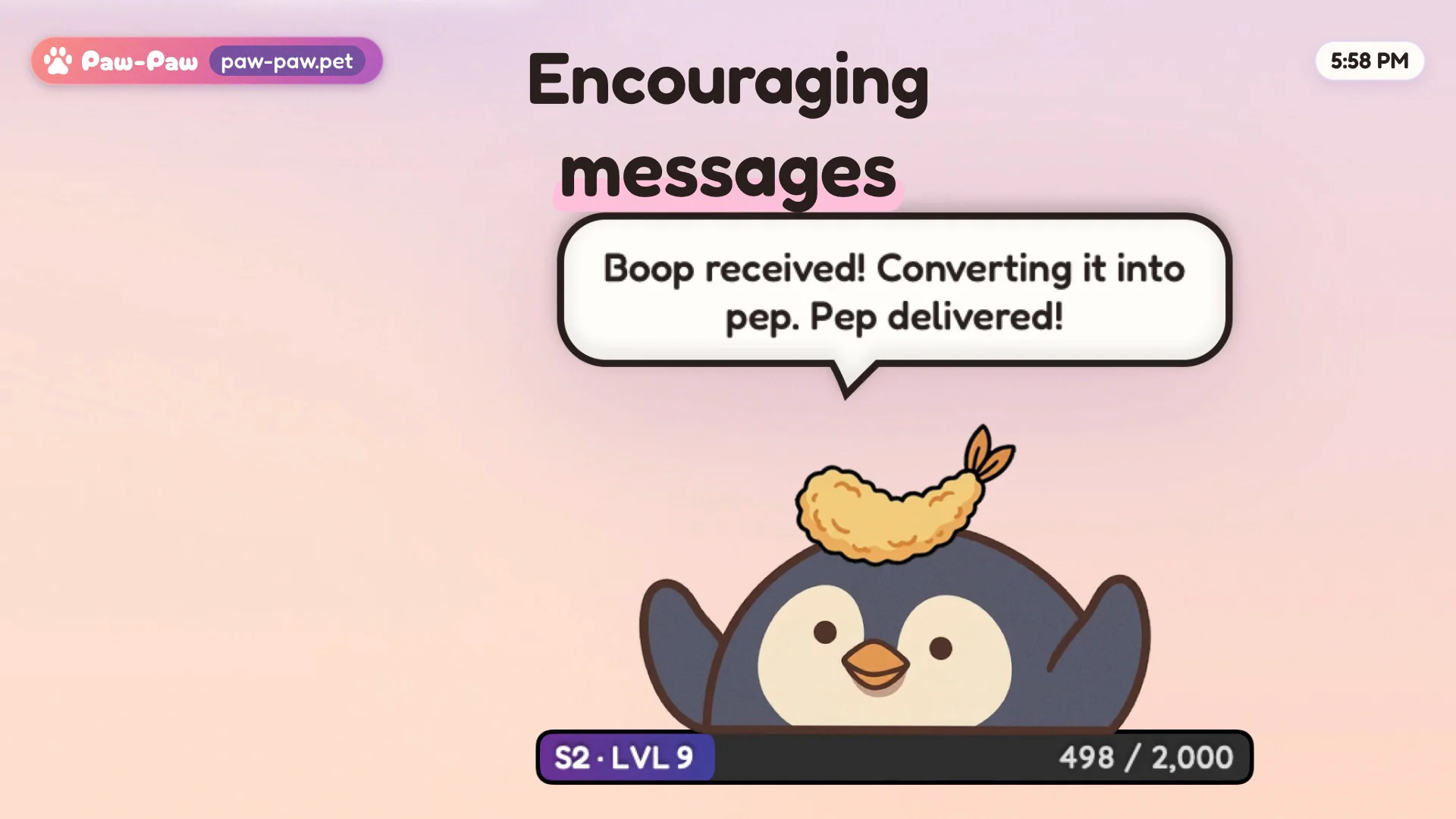
We wrote the reminders to sound like comfort and energy, never guilt or a health claim. Your pet suggests; you decide.
Honest limits: Paw-Paw is not a health or medical app, and it doesn’t take over your screen to make you stop. If you want breaks that are hard to skip, Time Out’s postpone limits or Stretchly’s strict mode are built for that. Paw-Paw needs macOS Accessibility access so it can notice key presses and clicks; it counts them, never what you type.
Setting up Paw-Paw’s break reminders and focus timer
- Install Paw-Paw and allow Accessibility when Turn On Live XP asks (see our setup guide).
- Set your move reminder. Get up and move is on from the start. In Settings › Notifications › Breaks, choose “Remind me after” to suit your day, or turn it off.
- Add stretch, water and eyes, each with its own timer. Rest your eyes can count 20 seconds down on the XP bar.
- Tune the pauses. Choose how long a pause counts as a break and how long Later waits. When a water, stretch or eye reminder lands mid-sentence, press Later; press Done once you’ve had your sip or stretch.
- For deep work, use the focus timer. Right-click your Paw-Paw › When Clicked › Start Focus Timer. Then click your Paw-Paw, slide to a length from 1 minute to 3 hours, and start.
- Take the break it offers. When the session ends, your Paw-Paw cheers and offers a break of one minute per five of focus, 5 to 30 minutes: 25 minutes brings a 5-minute break, 90 brings 20. Afterwards it calls you back with Focus Again.
More on the timer in our cute Pomodoro timer article, and on levels, gifts and speech bubbles in the guide to how Paw-Paw works.
Frequently asked questions
What is the 20-20-20 rule?
It is advice from the American Optometric Association for digital eye strain: every 20 minutes, take a 20-second break to look at something 20 feet (about 6 metres) away.
Does the 20-20-20 rule work?
The evidence is limited. In a 2023 study of 29 computer users with symptoms, two weeks of 20-20-20 reminders eased eye-strain and dry-eye symptoms, but the improvement did not last a week after the reminders stopped. It is sensible advice, not a cure.
How often should I take a break from the computer?
There is no single official number. For your eyes, the AOA suggests a 20-second look into the distance every 20 minutes. For your body, the NHS advises breaking up long periods of not moving with some activity, without giving a number of minutes.
How much water should I drink a day?
The European Food Safety Authority considers a daily intake of 2.0 litres adequate for women and 2.5 litres for men. Its figures count water from food and all drinks, not only glasses of plain water.
Is there a free break reminder app for Mac?
Yes. Stretchly and BreakTimer are free and also run on Windows and Linux. Time Out’s core features are free, and Paw-Paw, a desktop pet that suggests breaks, is free too. LookAway is paid, from $19 once (as of October 2026).
Can Paw-Paw remind me to drink water and rest my eyes?
Yes. In Settings › Notifications › Breaks, getting up to move, stretching, drinking water and resting your eyes each have their own timer. Rest your eyes is off until you turn it on and can count 20 seconds down on the XP bar. Water, stretch and eye reminders offer Done and Later. Paw-Paw is not a health app: the pet suggests, you decide.
Sources
- American Optometric Association. Computer vision syndrome and 20-20-20 rule and digital eye strain.
- Talens-Estarelles, C., Cerviño, A., García-Lázaro, S., Fogelton, A., Sheppard, A., & Wolffsohn, J. S. (2023). The effects of breaks on digital eye strain, dry eye and binocular vision: testing the 20-20-20 rule. Contact Lens and Anterior Eye.
- NHS. Physical activity guidelines for adults aged 19 to 64.
- European Food Safety Authority (2010). EFSA sets European dietary reference values for nutrient intakes; Scientific opinion on dietary reference values for water.
- Dejal. Time Out.
- Mystical Bits. LookAway and LookAway pricing.
- Jan Hovancik. Stretchly: about and downloads.
- BreakTimer.

A break reminder with paws
Free, with no ads, subscription or account. A tiny animal that types along, naps when you rest, and now and then suggests a stretch.
Download Free for MacFree · macOS 13+ · Apple silicon + Intel