Finch, the self-care pet app, on a computer
Finch on your Mac or PC? What works, and a desktop companion to try
Finch, the self-care pet app by Finch Care PBC, has you look after a little bird by doing small things for yourself. Here is where it runs as of October 2026, how to keep it close while you work at a computer, and a different kind of pet that lives on your Mac screen.
Not that we could find, as of October 2026. Finch’s App Store listing names iPhone, iPad, iPod touch and Apple Vision as compatible, but not Mac, and its other listing is Google Play for Android. We found no Windows app or public web version. So the dependable way to use Finch while you work is your phone or iPad beside the keyboard, or Apple’s iPhone Mirroring on a recent Mac. If what you really want is a little friend on your computer screen, Paw-Paw is a different kind of app: a free Mac desktop pet that keeps you company while you work, with kind lines, a focus timer and break reminders. It doesn’t do journaling, goals or mood check-ins.
What Finch is
Finch: Self-Care Pet is a mobile app from Finch Care Public Benefit Corporation. If you searched for “Finch for Mac” and landed on an open-source container tool or a payroll service, those are different products that happen to share the name. This page is only about the pet app.
According to Finch’s App Store description, the app is built around a small bird that you hatch and look after:
- Self-care tasks grow your bird. You choose small goals and habits, and completing them helps your pet grow.
- Check-ins. A mood check in the morning, and a gratitude moment at the end of the day, when your bird comes back from its adventures with stories to share.
- Journaling and exercises. Journaling and gratitude prompts, breathing exercises, quizzes and soundscapes.
- Rewards. In Slate’s September 2026 review, Sara Jin Li describes rainbow coins that buy outfits and furniture for your bird, and adventures it goes on as you keep up your goals.
The same Slate review notes that missing goals or coming back after a long absence brings only encouragement, never punishment. As of October 2026, Finch’s App Store page shows an Editors’ Choice badge and a 4.9 rating from about 767,000 ratings, and lists the app as free with in-app purchases. Its paid tier is the Finch Plus subscription, whose price varies by region and offer.
Can you get Finch on a Mac or PC?
Here is what Finch’s own listings showed when we checked on October 24, 2026:
- App Store: the US App Store page lists iPhone, iPad, iPod touch and Apple Vision under Compatibility. Mac is not on that list. Some iPhone and iPad apps also run on Apple silicon Macs when their developer offers them there, and those name Mac under Compatibility. The person who started a 2025 r/finch thread found the same: Finch was not available in the Mac App Store.
- Google Play: Finch has a Google Play listing for Android. We found no Windows app.
- The web: Finch’s mobile page has a single line saying that Finch on the web is only available on desktop. The page gives no link or details, and we could not find a public web version. Finch’s help center is the place to ask.
Forums also suggest Android emulators as a way to run the phone app on a computer. We don’t recommend that. It is unofficial, Finch doesn’t offer it, and your private journal would pass through extra software whose terms and privacy you would have to check yourself.
Why people want Finch on their computer
In a 2024 thread on r/finch, the person asking said typing a lot on a phone didn’t feel natural, and that a computer keyboard felt better for venting. Others wanted something else: one uses Finch’s goals as a to-do list and wished it were on their PC, and another has many work-related items in their goals. The 2025 Mac thread’s author wanted to break away from the smartphone.
So there are really two wishes:
- A real keyboard for writing. Journaling and reflections are easier to type at a desk.
- A pet in view while you work. If you spend the day at a computer, your phone is often face down or in a drawer, and the little friend goes with it.
The first wish is about Finch itself. The second is about company on your screen, and a different kind of app can give you that.
Ways to use Finch at your desk
- Keep your phone or iPad beside the keyboard. A simple stand keeps your bird in sight while you work, and your check-ins stay where Finch was built to run.
- Mirror your iPhone on your Mac. Apple’s iPhone Mirroring shows your iPhone in a window on your Mac, so you can use Finch with your Mac’s keyboard and trackpad. It needs macOS Sequoia 15 or later and iOS 18 or later, and Apple says it is not available in the European Union. In the 2025 Mac thread, one person said scrolling in Finch didn’t work well for them this way, so try it before you rely on it.
- Write on your computer, paste into Finch. One suggestion in the 2024 thread: write your reflections in a note on your laptop, then copy them into Finch on your phone.
- Add a keyboard to your iPad. Another reply suggested a Bluetooth keyboard with the iPad version.
- Add a companion that lives on your computer. If what you miss is a friend on your screen during the workday, keep Finch for self-care on your phone and give your desktop its own little pet.
A different kind of desktop companion
We make Paw-Paw, so read this part as the makers describing their own app. Paw-Paw is not Finch for Mac, and it is not a self-care, journaling or mental-health app. It doesn’t track goals, moods or habits. What it does is keep you company on your Mac while you work.
It sits beside you and types along
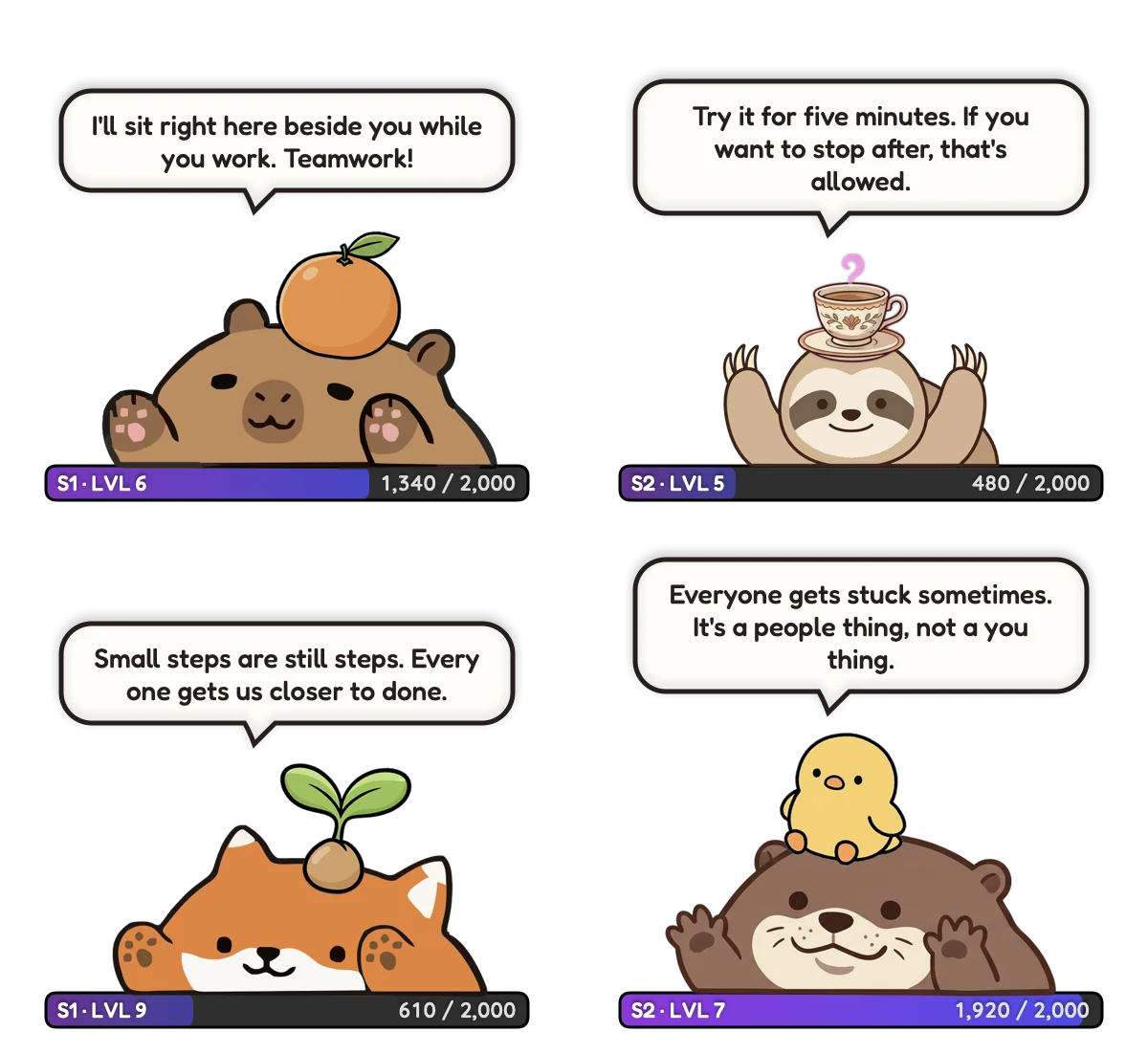
Your Paw-Paw is a small animal that sits above your windows, by the Dock at first; drag it anywhere. Its paws tap as you type and click. Paw-Paw asks for macOS Accessibility access when you turn on XP, so it can notice key presses and clicks. It counts them, never what you type.
A kind line now and then
When your pace dips well below your own usual pace, it may offer a kind word, at most every 20 to 30 minutes at the Normal setting. It compares you only with yourself. Choose Quiet, Normal, Chatty or Custom in Settings, or click it any time for a line.
A focus timer, like a kitchen timer
Right-click your Paw-Paw and choose When Clicked › Start Focus Timer. From then on, a click opens a little timer bubble with a slider from 1 minute to 3 hours. The XP bar counts down the minutes, and at the end your Paw-Paw cheers and offers a break sized to the session: five minutes after 25 minutes of focus, for example.
Break reminders
After a long stretch of work, your Paw-Paw suggests a stretch, a walk or some water. Settings › Notifications › Breaks has four reminders, each with its own timer: get up and move, stretch, drink water and rest your eyes. The water, stretch and eye reminders offer Done and Later. The pet suggests; you decide.
It rests when you do
After two minutes without input your Paw-Paw naps, and your next key press wakes it. Nothing bad happens while you are away: no hunger, no guilt, no streak to lose.
Progress you can see
Every key press and click fills the XP bar under your Paw-Paw, and each level brings a gift with an item to wear. There are dozens of free Paw-Paws and 200+ items to find. Our guide to how Paw-Paw works covers levels, gifts and On Fire.
If you like working beside someone, our digital body double guide looks at what research says about company at work, and where it stops. For study sessions, see our ADHD study companion article.
Finch and Paw-Paw at a glance
They do different jobs. Finch facts are from its listings and the Slate review as of October 2026; Paw-Paw facts are ours.
| Finch | Paw-Paw | |
|---|---|---|
| What it is | A self-care pet app | A desktop pet that keeps you company while you work |
| Where it runs | iPhone, iPad and Apple Vision (App Store) and Android (Google Play); Mac is not in its App Store compatibility list | Mac, macOS 13 or later, Apple silicon and Intel |
| What grows your pet | Completing self-care tasks and goals you choose | Your key presses and clicks fill an XP bar |
| Journaling, goals, mood check-ins | Yes | No |
| Focus timer and break reminders | Not in its App Store description | Yes |
| When you step away | Encouragement, never punishment | It naps; no hunger, guilt or streak to lose |
| Price | Free with in-app purchases, including Finch Plus | Free, no ads or subscription; optional artist collections bought once |
If you want journaling, goals and mood check-ins, Finch is built for that, and its home is your phone or iPad. If you want a little friend in the corner of your Mac while you type, that is what we built Paw-Paw for. You could use both. Our setup guide walks through the download and the Accessibility step.
Frequently asked questions
Is there a Finch app for Mac?
Not that we could find, as of October 2026. Finch's App Store listing names iPhone, iPad, iPod touch and Apple Vision as compatible, but not Mac. On a Mac with macOS Sequoia or later, Apple's iPhone Mirroring can show Finch from your iPhone in a window. Paw-Paw, which we make, is a different kind of app: a free desktop pet for Mac that keeps you company while you work.
Can I use Finch on my PC?
We found no Windows app as of October 2026. Finch's listings are the App Store, for iPhone and iPad, and Google Play, for Android. Finch's website mentions Finch on the web on desktop but gives no details, so Finch's help center is the place to ask. Forums suggest Android emulators, but that is an unofficial route we don't recommend.
Is there a web version of Finch?
Finch's mobile page has one line saying that Finch on the web is only available on desktop, but it gives no link or details, and we could not find a public web version. Finch's help center is the best place to check.
Is Finch free?
Finch is free to download, with in-app purchases that include the Finch Plus subscription. Plus prices differ by region and offer, so check the price your app store shows you.
Is Paw-Paw a self-care app like Finch?
No. Paw-Paw is a desktop pet for Mac, not a self-care, journaling or mental-health app, and it doesn't track goals, moods or habits. It keeps you company while you work, offers a kind line now and then, and has a focus timer and break reminders.
Is Paw-Paw free?
Yes. Paw-Paw is free, with no ads, subscription or account needed, and runs on Macs with macOS 13 or later, Apple silicon and Intel. The optional extras are artist collections you buy once inside the app.
Sources
- Finch Care PBC. Finch: Self-Care Pet. App Store (US).
- Finch Care PBC. Finch. Google Play.
- Finch Care PBC. finchcare.com, finchcare.com/mobile and the Finch help center.
- Li, S. J. (2026, September 6). The self-care app that made me want to strangle a cartoon bird. Slate.
- r/finch (2024). Is there a desktop version of Finch? Reddit.
- r/finch (2025). Finch on the Mac? Reddit.
- Apple. iPhone Mirroring: Use your iPhone from your Mac. Apple Support.

Give your Mac a little companion
Free, with no ads, subscription or account. A tiny animal that types along, rests when you rest, and cheers you on.
Download Free for MacFree · macOS 13+ · Apple silicon + Intel