Focus companions on Mac
Focus Friend on Mac or PC, and a desktop alternative
Focus Friend is a lovely little phone timer. If you’d like it on your computer, here is what actually runs on a Mac or PC, and a few cute focus friends that live where you work.
There is no official Focus Friend for Mac or PC. Focus Friend, by Hank Green, is an iPhone, iPad and Android app, and its App Store listing says “Designed for iPad. Not verified for macOS.” The iPad app can be installed on a Mac with an M1 chip or later, with no promise that it works well there, and we found no Windows or web version. For a focus companion that lives on your Mac, Paw-Paw (which we make) is a free desktop pet with a focus timer that sits beside your work while you type.
- Made by
- Hank Green and Honey B Games, per its website
- Runs on
- iPhone and iPad (App Store), Android (Google Play)
- Mac
- No Mac app; the iPad app installs on Macs with an M1 chip or later, labelled “Not verified for macOS”
- Windows and web
- No official version found
- Price
- Free to download; Focus Friend Pro is $3.99 a month, $19.99 a year or $39.99 lifetime on the US App Store (prices vary by country)
- Last checked
- October 24, 2026
What Focus Friend is
Focus Friend is a cozy focus timer. On the App Store it is called “Focus Friend, by Hank Green”, with the subtitle “ADHD-friendly Focus Timer”. Its website credits Hank Green and Honey B Games, and its FAQ says the app was built by one full-time developer, Bria, with no outside funding. The earliest coverage we found, from TechCrunch, is dated August 18, 2025, so it seems to have arrived that summer.
The idea is sweet and simple:
- A bean knits while you focus. You start a timer and your bean gets to work. If you interrupt the timer, the bean is sad.
- Finished sessions earn prizes. You spend them on decorations for the bean’s room, and you decorate during your breaks, Pomodoro style.
- Deep Focus Mode blocks distracting apps on your phone.
- A stopwatch, too. A developer reply in the App Store reviews says a stopwatch timer was added.
It is well liked: on October 24, 2026, the US App Store listing showed a 4.8 average from 9.3K ratings and an Editors’ Choice badge. It is free to download, with in-app purchases such as extra beans and an optional subscription, Focus Friend Pro. That day the US App Store listed Pro at $3.99 a month or $19.99 a year, and lifetime Pro at $39.99 (with a $29.99 offer). Prices differ by country and have changed before, so check your own store.
Is there Focus Friend for Mac?
Not as a Mac app. The App Store listing names iPhone and iPad and carries the line “Designed for iPad. Not verified for macOS.” Apple explains that in the Mac App Store, iPhone and iPad apps that work on a Mac are labelled “Designed for iPhone” or “Designed for iPad”, and its page covers this for Macs with Apple silicon.
In practice that means:
- On a Mac with an M1 chip or later and macOS 12 or later, the App Store listing says you can install the iPad version. “Not verified for macOS” means nobody promises it works well there.
- Deep Focus may not work. In a 2025 Reddit thread, a player said the Deep Focus switch on their Mac “just switches back”. A commenter replied that the Mac version is just the iPad app running on macOS and that Deep Focus very likely isn’t designed for it. That is a player’s view, not a statement from the developers.
Focus Friend for PC and Windows
We found no Windows app and no web version. Focus Friend’s website links only to the App Store and Google Play. The “Focus Friend for PC” pages in search results are listings for Android emulators such as BlueStacks, which run the Android app inside another program. They are third-party tools, not something Focus Friend’s makers offer, and we haven’t tested them. On a PC, the honest answer is to keep Focus Friend on your phone.
Phone timer or desktop companion?
Focus Friend and apps like it are built around one move: you put the phone down and leave it alone. If your phone is what pulls you away, that is a clever design.
A desktop companion works the other way round. It sits beside your work while you type: you don’t leave it, it keeps you company. It won’t stop you opening another tab, though. That suits people who work at the computer and want a little presence nearby, a timer they can see and a cheer at the end.
You don’t have to pick one: a phone timer face down and a small friend on screen work fine together. Our digital body double article looks at why company can help, and where the research stops.
Where Paw-Paw fits, and where it doesn’t
We make Paw-Paw, so read this part as the makers describing their own app. Paw-Paw is a free desktop pet for Mac: a small animal that sits above your windows, by the Dock at first, and you can drag it anywhere. Its paws tap as you type and click. In October 2026 we gave it a focus timer.
A focus timer you set like a kitchen timer
Right-click your Paw-Paw and choose When Clicked › Start Focus Timer (or set it in Settings › Companion › Clicks). Then a click on your Paw-Paw opens a little timer bubble with a slider from 1 minute to 3 hours. It opens on the length you used last, 25 minutes the first time.
It counts down with you
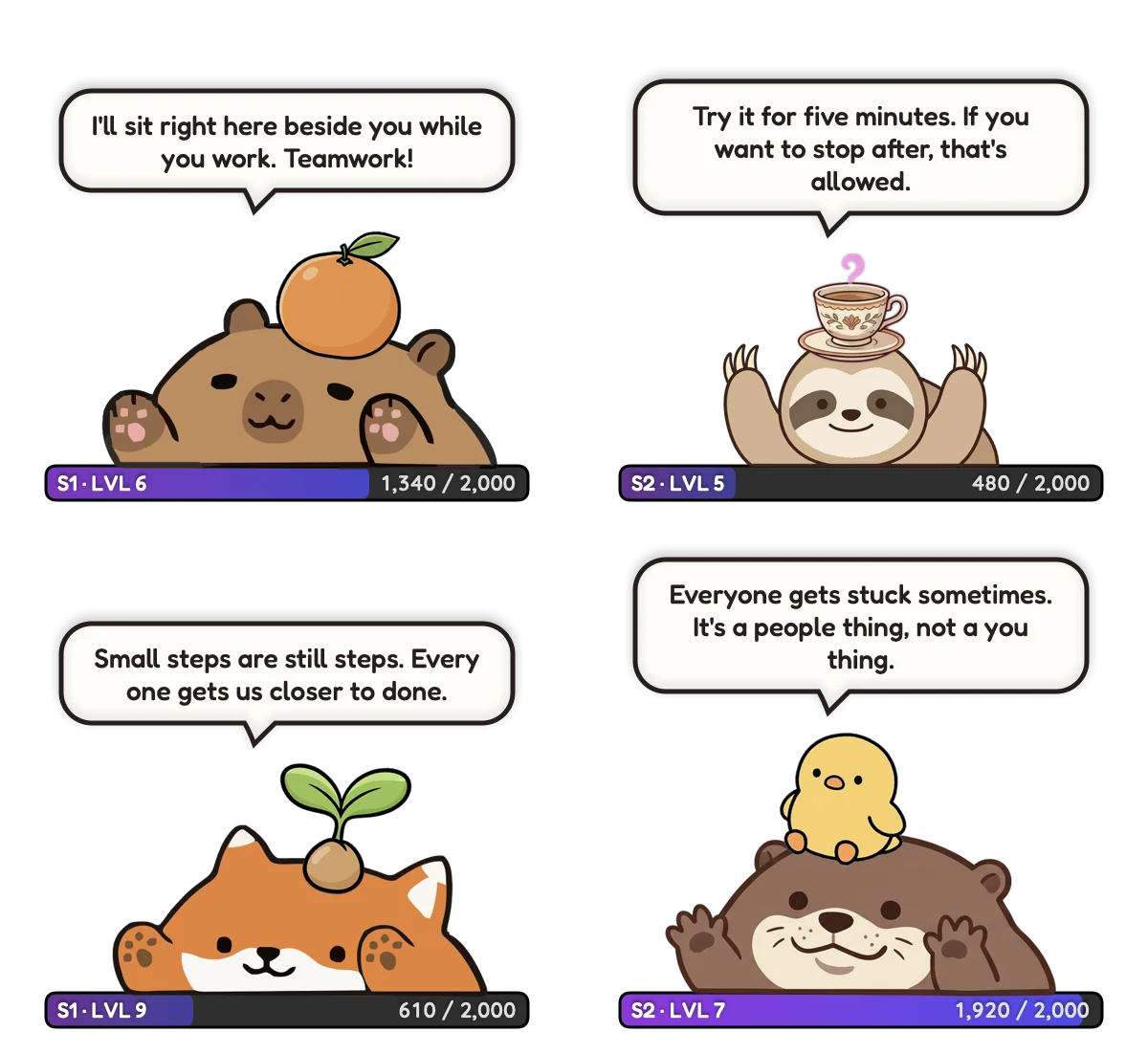
When you start, your Paw-Paw says “Focus time! I’ll tell you when 25 minutes are up.” The XP bar under it counts down the minutes, and notifications can stay muted while you focus. Click it to see what’s left, or press Stop.
A cheer, then a break sized to the session
At the end it cheers, with a little celebration sound if you have sounds on: “Ding! A whole focus session done. Stretch your paws a little!” Below that is a break button, one minute of break for every five of focus, from 5 to 30 minutes. When the break is over it calls you back with “Break’s over! Ready for another round?” and a Focus Again button.
Progress, with nothing to lose
You keep earning XP while you focus, and each level brings a gift with an item to wear. After two minutes without input your Paw-Paw naps until your next key press. No hunger, no guilt, no streak to lose.
Company between sessions
When your pace dips well below your own usual pace, your Paw-Paw may offer a kind word. After a long stretch of work it suggests a stretch, a walk or some water, and Settings › Notifications › Breaks has separate reminders to move, stretch, drink water and rest your eyes, each with its own timer. Break reminders stay quiet during a focus session or break.
And the honest limits:
- It doesn’t block apps or websites. If you want Deep Focus-style blocking, a phone app like Focus Friend does something Paw-Paw doesn’t.
- It lives on your Mac. It won’t follow you to your phone.
- It asks for Accessibility access so it can notice key presses and clicks. It counts them, never what you type.
- It is a companion, not a treatment. It isn’t an ADHD or health app, and we don’t promise it will change how much you get done.
Paw-Paw is free, with no ads, no subscription and no account needed. The optional extras are artist collections you buy once inside the app. It runs on macOS 13 or later, on Apple silicon and Intel Macs. See our setup guide and how Paw-Paw works.
Other cute focus companions
If Paw-Paw isn’t quite it, here are a few other friendly ones, and who they suit:
| App | Where it runs | How it keeps you going | Suits you if |
|---|---|---|---|
| Focus Friend | iPhone, iPad, Android | A bean knits while you focus; you decorate its room | Your phone is the distraction and you’d like app blocking |
| Forest | Phone apps, plus a browser extension, per its website | A tree grows while you stay focused; leave early and it withers | You like the same idea with a tree (Forest on Mac) |
| Finch | iPhone, Android | A pet you care for by taking care of yourself | You want self-care routines more than timed focus (Finch on Mac) |
| Bongo Cat | A game on Steam | A cat bops your taskbar with every key press, and you collect points | You want something playful on screen while you type (Bongo Cat on Mac) |
| Paw-Paw | Mac | A pet types along, with a focus timer, XP and gifts | You want company on your Mac while you work |
If what you need is a real person who expects you to show up, video coworking services such as Focusmate pair you with someone for a timed block of work. For more cozy picks, see our cozy productivity apps for Mac and cute Pomodoro timer guides.
Frequently asked questions
Is there a Focus Friend app for Mac?
There is no official Mac app. Focus Friend is an iPhone, iPad and Android app. Its App Store listing says “Designed for iPad. Not verified for macOS.” On a Mac with an M1 chip or later you can install the iPad app, but nothing promises it works well, and one player found Deep Focus would not switch on.
Is Focus Friend available for PC or Windows?
We found no Windows or web version. Focus Friend’s website links only to the App Store and Google Play. The “Focus Friend for PC” pages in search results run the Android app in third-party emulators such as BlueStacks; they don’t come from Focus Friend’s makers.
Can Focus Friend block apps on a computer?
Deep Focus, the app-blocking mode, is built for phones and tablets. A player who ran Focus Friend on a Mac in 2025 reported that the Deep Focus switch kept flipping back off, and another commenter thought Deep Focus very likely isn’t designed to work on macOS.
Is Focus Friend free?
It is free to download, with in-app purchases and an optional Focus Friend Pro subscription. On October 24, 2026, the US App Store listed Pro at $3.99 a month, $19.99 a year or $39.99 for lifetime access. Prices differ by country, so check your own store.
Who made Focus Friend?
Its website credits Hank Green and Honey B Games, and its FAQ says one full-time developer, Bria, built it with no outside funding. On the App Store the seller is B-Tech Consulting Group LLC, and on Google Play the developer is Honey B Games.
What is a good Focus Friend alternative for Mac?
Paw-Paw, which we make, is a free desktop pet for Mac with a focus timer: you pick 1 minute to 3 hours, its XP bar counts down, it cheers when you finish and offers a break sized to the session. It sits beside your work while you type, but it doesn’t block apps. Forest and Finch are good picks if you want something on your phone.
Sources
- Apple App Store. Focus Friend, by Hank Green (US listing: devices, Mac compatibility, “Not verified for macOS”, description, ratings, seller, in-app purchase prices).
- Focus Friend. Website and FAQ (last updated August 26, 2025).
- Google Play. Focus Friend listing.
- Apple Support. Use iPhone and iPad apps on Mac with Apple silicon.
- Reddit, r/nerdfighters (2025). Focus Friend desktop app: can’t switch on Deep Focus.
- TechCrunch (August 18, 2025). Hank Green’s Focus Friend app is climbing the App Store charts.
- BlueStacks. Focus Friend on PC (third-party emulator listing).
- Forest, Finch and Bongo Cat on Steam and Focusmate.

A focus friend for your Mac
Free, with no ads, subscription or account. A tiny animal that types along, keeps your focus timer, and cheers when you finish.
Download Free for MacFree · macOS 13+ · Apple silicon + Intel